
How to Flash Your Namebadge
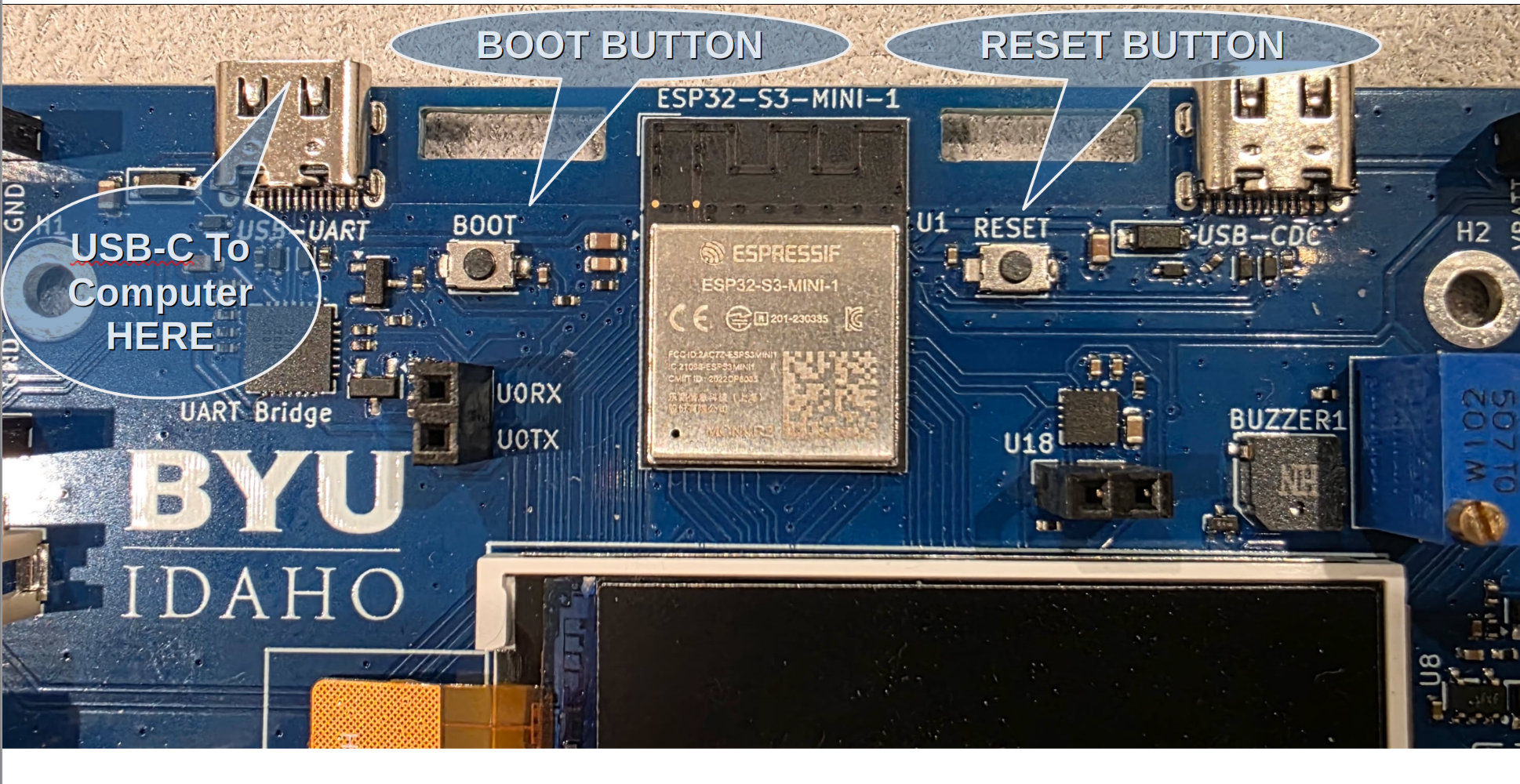
- Connect your badge to your computer using a USB-C cable (see below).
- Select a flash option below and click the Flash button.
- Choose CP2102N USB to UART Bridge Controller from the port picker and click Connect.
- Flashing starts automatically — wait for the progress bar to finish.
- If prompted, hold BOOT, press and release RESET, then release BOOT.
Bootloader Flash
A bootloader is like a small operating system for your board. This will let you customize your board, connect your board to the internet, download and run programs, and write your own code.
Single Program Flash
This option lets you flash a specific, single program to run.
Loading manifest...